
OneLogin SSO Setup Guide
Providing documentation to your users on how to set up SSO with OneLogin is important for a smooth integration process. Below is an example guide of what this documentation could look like.
-
Login to your OneLogin admin console and navigate to the Applications section.
-
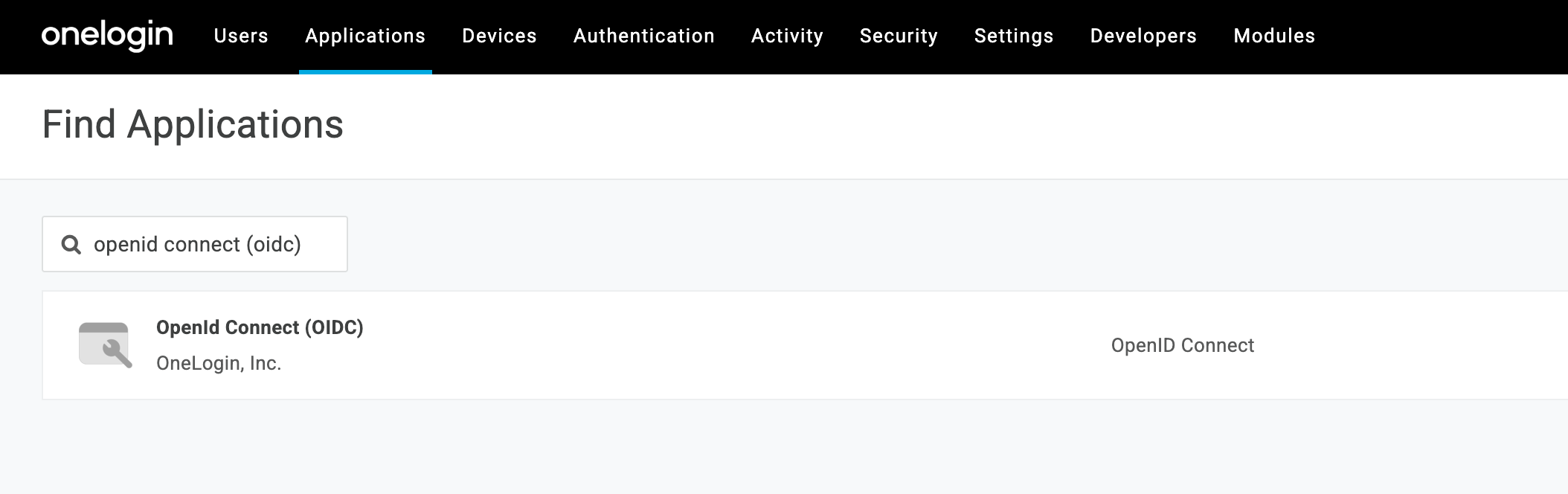
Click Add App and search for OpenId Connect (OIDC) and select the app.
-
Name the application and click Save.
-
Click Configuration and enter the redirect URI for your app (e.g.,
https://myapp.com/callback) in Redirect URI’s. See here for more details on the callback URL that you should provide to your users.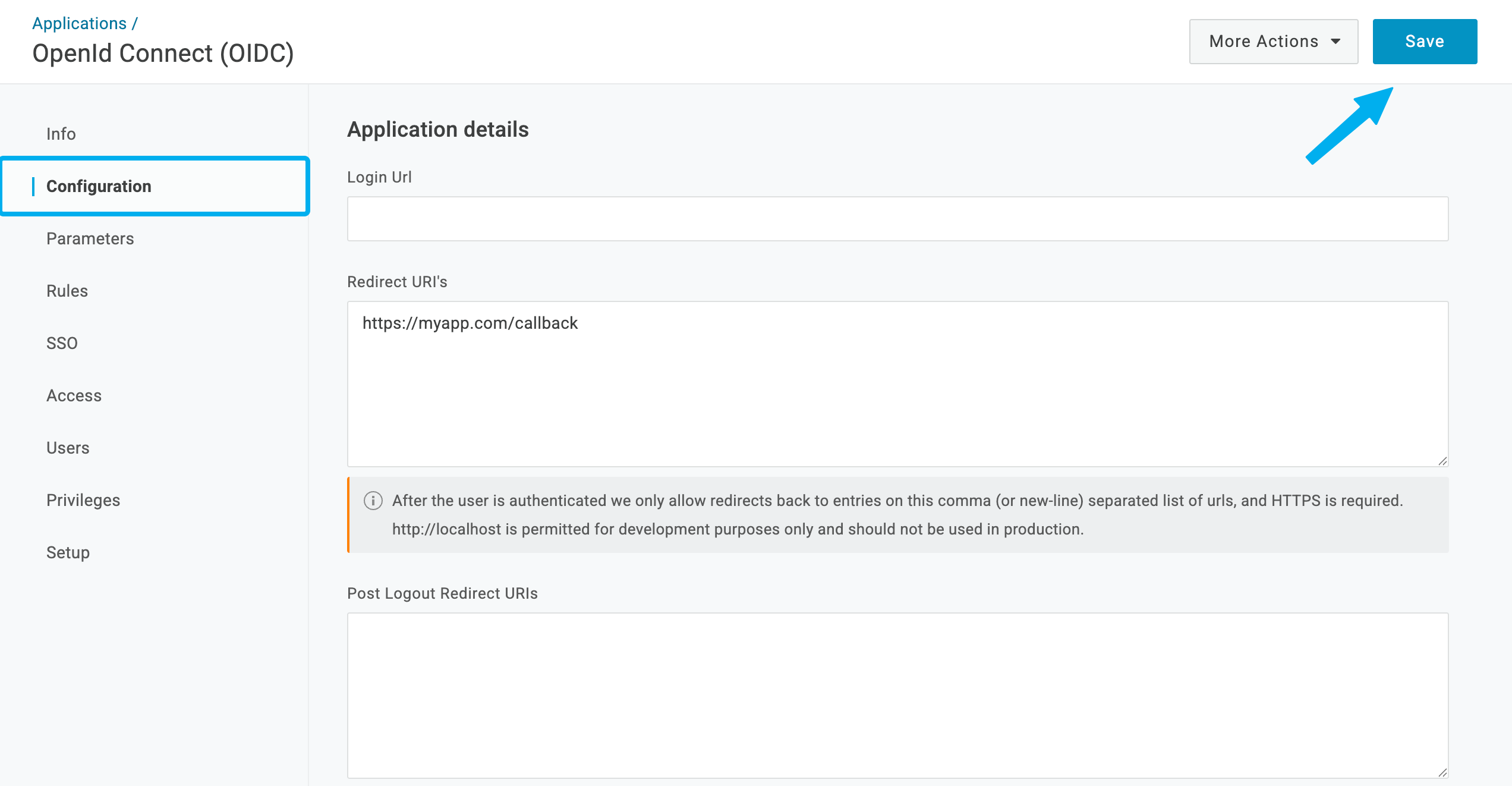
-
Click Save.
-
Next, click on the SSO tab and copy the Client ID and Client Secret and paste them into
{your application}.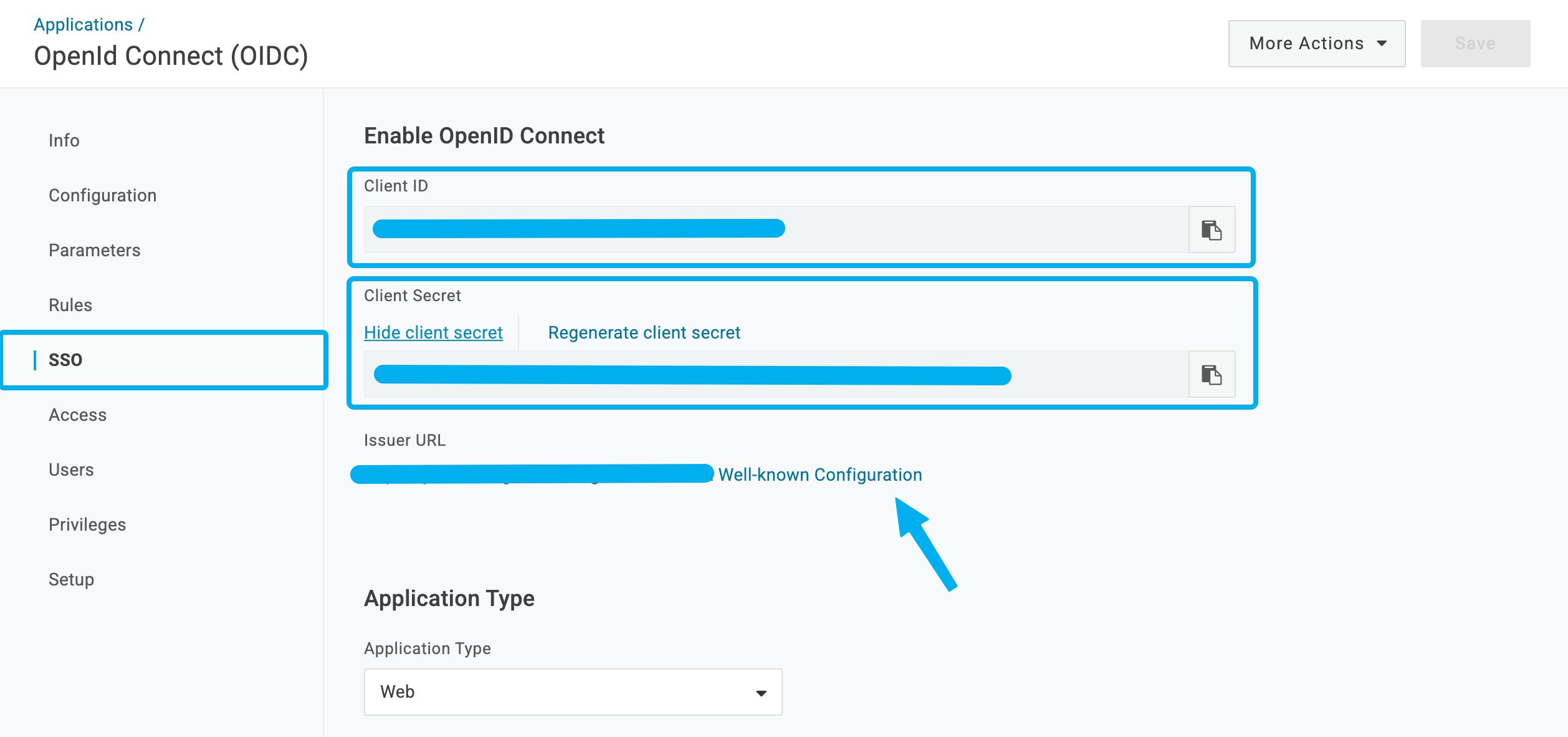
-
Click on Well-known Configuration and follow the link to a new page. Search for the following URLs and enter them into
{your application}:- Authorize URL: The URL next to
authorization_endpoint - Token URL: The URL next to
token_endpoint - Userinfo URL: The URL next to
userinfo_endpoint
- Authorize URL: The URL next to
-
Click Save in
{your application}.